
Opening a Parimatch account is free and takes about a minute. This guide covers registration on the website and app, logging in, verifying your identity and what to do if you lose access.
How to Register at Parimatch: Step by Step
Click Sign Up
The yellow button sits in the top-right corner of every page.
Choose a method
Phone number (recommended for UPI users) or e-mail.
Enter your details
Create a strong password, keep INR as the currency and choose your welcome bonus.
Confirm
Type the code from the SMS or e-mail. Your account is active straight away.
Benefits of a Parimatch Account
- Welcome package worth up to ₹105,000
- Access to 40+ sports and 6,000+ casino games
- Free live streams for selected matches
- Instant UPI and wallet deposits with no fees
- Deposit and session limits you control
- 24/7 support in English and Hindi
Parimatch Login
Tap Log In, enter your phone number or e-mail and password, and you are in. The app adds fingerprint or Face ID login. If you forget your password, use the Forgot password link to receive a reset code by SMS or e-mail. After five failed attempts the account locks for 15 minutes as a security measure.
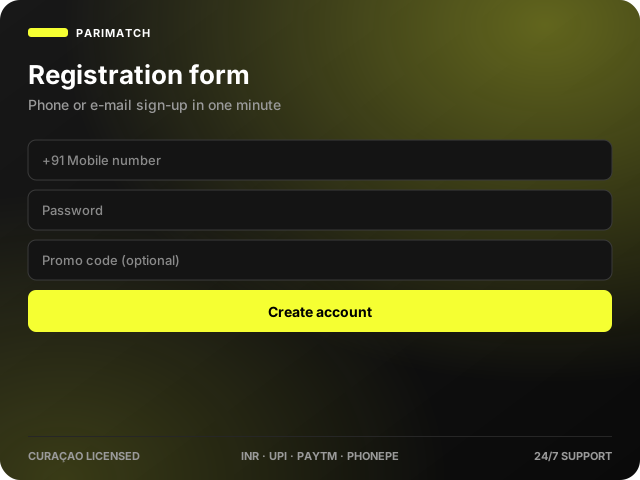
Register Through the Mobile App
The app registration form is the same as the website. Open the app, tap Sign Up, enter your phone number and password, choose a bonus and confirm the SMS code. See the app guide for installation.
KYC Verification
Verification is required before your first withdrawal and protects your funds from being cashed out by anyone else.
Prepare your documents
A government ID (Aadhaar, PAN, passport or driving licence) and, if asked, a recent utility bill or bank statement.
Upload photos
Open Account › Verification and upload clear, uncropped photos plus a selfie holding the ID.
Wait for confirmation
Most checks finish within a few hours; complex cases can take up to 72 hours.
Trouble Logging In or Registering?
- Code not received – wait 60 seconds, check spam, then tap Resend. Make sure the number has +91.
- Number already registered – you may already have an account; use password recovery instead of creating a new one.
- Account locked – wait 15 minutes or contact live chat with your registered number.
- Browser errors – clear cache, disable VPN and try again, or use the app.
How to Delete Your Account
Withdraw your balance, then ask live chat or e-mail support to close the account. For a gambling-related closure use the self-exclusion tool, which blocks re-registration for the period you choose.
FAQ
Is it free to join Parimatch?
Yes. Registration and account maintenance are free.
What is the easiest way to log in?
Use phone-number login on the website or biometric login in the app.
Can I register from my phone?
Yes, through the mobile site, the Android app or the iOS web app.
How do I recover a forgotten password?
Tap Forgot password on the login form and follow the SMS or e-mail reset link.
Can I hold two accounts?
No. One account per person; duplicates are closed under the terms and conditions.
Last updated: